
Welcome to your guide on managing online payments! To help you track, analyze, and manage
your online transactions, we utilize CardPointe, a robust reporting system designed specifically
for your online sales.
Whether you need to review a daily transaction summary, check the status of a specific deposit,
or pull monthly statements, CardPointe serves as your dedicated hub for online payment data.
💡 Quick Tip: While CardPointe is your primary tool for financial reporting, you can
still view live transaction data directly within your Resova dashboard for quick
reference alongside your bookings.
Understanding Your Setup: CardPointe vs. Clover
Depending on how you accept payments, your reporting setup will look a little different:
-
Online Bookings Only (CNP): If you only accept payments online, this is considered
CNP (Card Not Present). You will only need to set up and use a CardPointe account.
-
Hybrid Payments (CP & CNP): If you accept payments both in-person— CP (Card
Present) — and online, it is important to utilize both Clover (for your in-person terminal
data) and CardPointe (for your online data).
Need Help Logging In?
If you need assistance accessing your CardPointe account or setting up your credentials, our
team is here to help! Please reach out to us at merchantservices@clubspeed.com, and we will
get you squared away.
There are a few tools you can utilize within Cardpointe in order to optimize your device. Below
are the primary tabs and their functions.
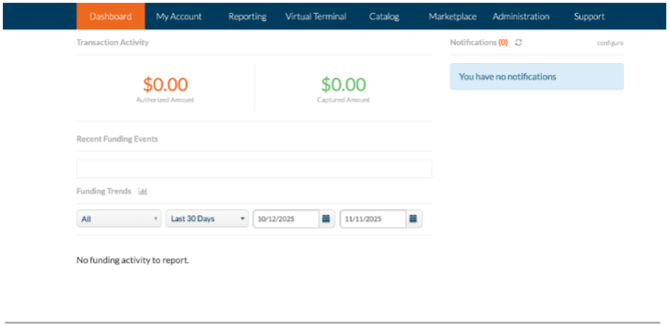
Dashboard
Your homepage snapshot. See daily sales, transactions, and card-brand activity at a glance.
Use it to track performance, spot trends, and catch issues early.
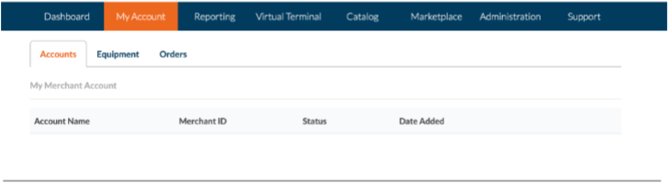
My Account
Manage your locations, terminals, and users here. You can also view your PCI compliance status
and update business info. Review this monthly to make sure everything’s current and secure.
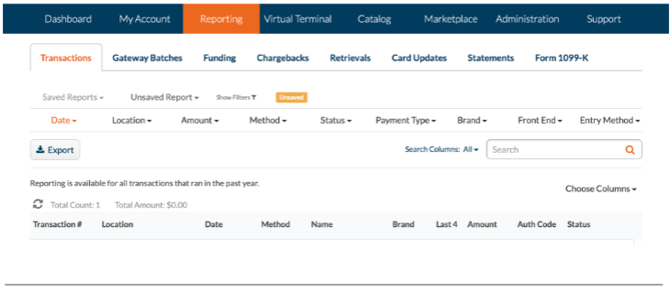
Reporting
Your data center! Access transaction history, batch summaries, and funding reports.
Use filters to view specific dates or transaction types and export results for accounting or
review.
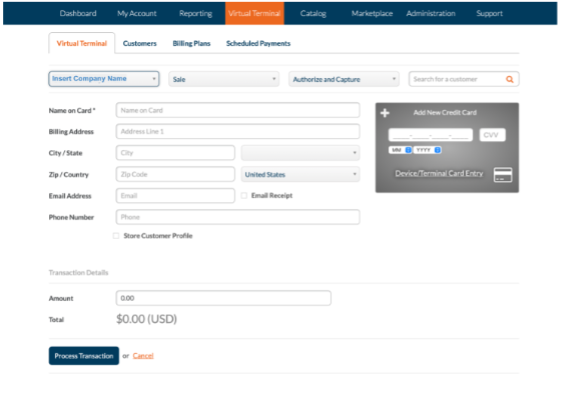
Virtual Terminal
Process payments directly from your browser, perfect for phone orders, invoices, or quick
refunds. You can also securely store customer cards for future use.
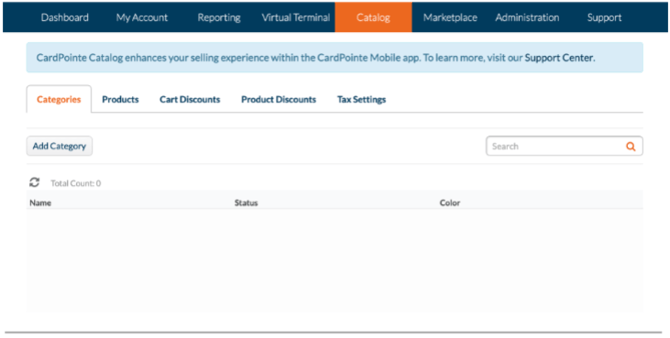
Catalog
Create and organize products or services to speed up checkout and improve reporting.
Updating your catalog helps track which items sell best and keeps prices consistent.
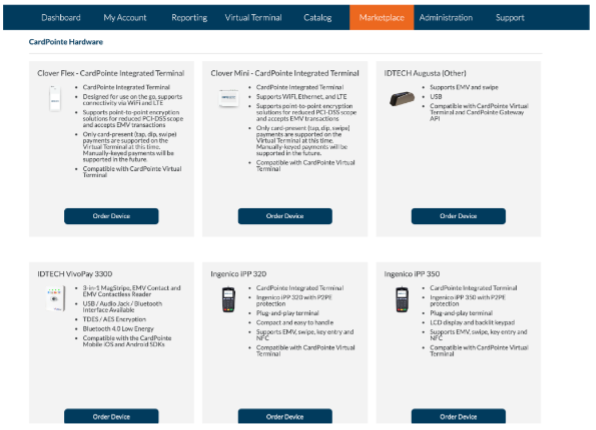
Marketplace
Explore add-ons, hardware upgrades, and integrations that can help your business grow —
from advanced reporting to loyalty programs.
Administration
Set up users, roles, and permissions to protect your business. Customize receipts, map
terminals to locations, and review user access regularly. If you need to add additional admin
access to your account, navigate here!
Support
Need help? Access CardPointe’s built-in help center for guides, FAQs, and troubleshooting
tips. We also recommend bookmarking support.cardpointe.com for quick answers.
Quick Tips for Success
✅ Check your dashboard regularly for new transactions
✅ Review reports weekly to monitor trends
✅ Update users and roles as your team grows
✅ Keep your catalog and prices current
✅ Reach out to support anytime you need help
Helpful Resources
-
Official Support Center: support.cardpointe.com
-
Virtual Terminal How-To: CardPointe Virtual Terminal Guide
-
Website User Guide: CardPointe Website User Guide
-
Hardware Overview: Integrated Terminal Setup
Welcome aboard, and if you need any assistance, don’t hesitate to reach out!